Thumbs.db / .DS_Store Viewer
Shows the thumbnails left in a Windows Thumbs.db and the file names recorded in a Mac .DS_Store, so you know what is in them before deleting. Everything runs in your browser; the file is never uploaded.
Your files stay safe — processed entirely in your browser. Nothing is uploaded.
Drop a Thumbs.db or .DS_Store here
or click to choose. These are hidden files — show hidden files in Explorer / Finder first
The file is read in your browser and never uploaded.
Thumbs.db and .DS_Store — what is in them, and can you delete them
Tidying a shared folder or a USB stick turns up files you never made: Thumbs.db, .DS_Store. Both are hidden files the operating system creates by itself, and neither contains a document. Thumbs.db is the cache of reduced images Windows Explorer built for thumbnail view; .DS_Store is where the Mac Finder saves a folder's view settings — icon positions, view mode.
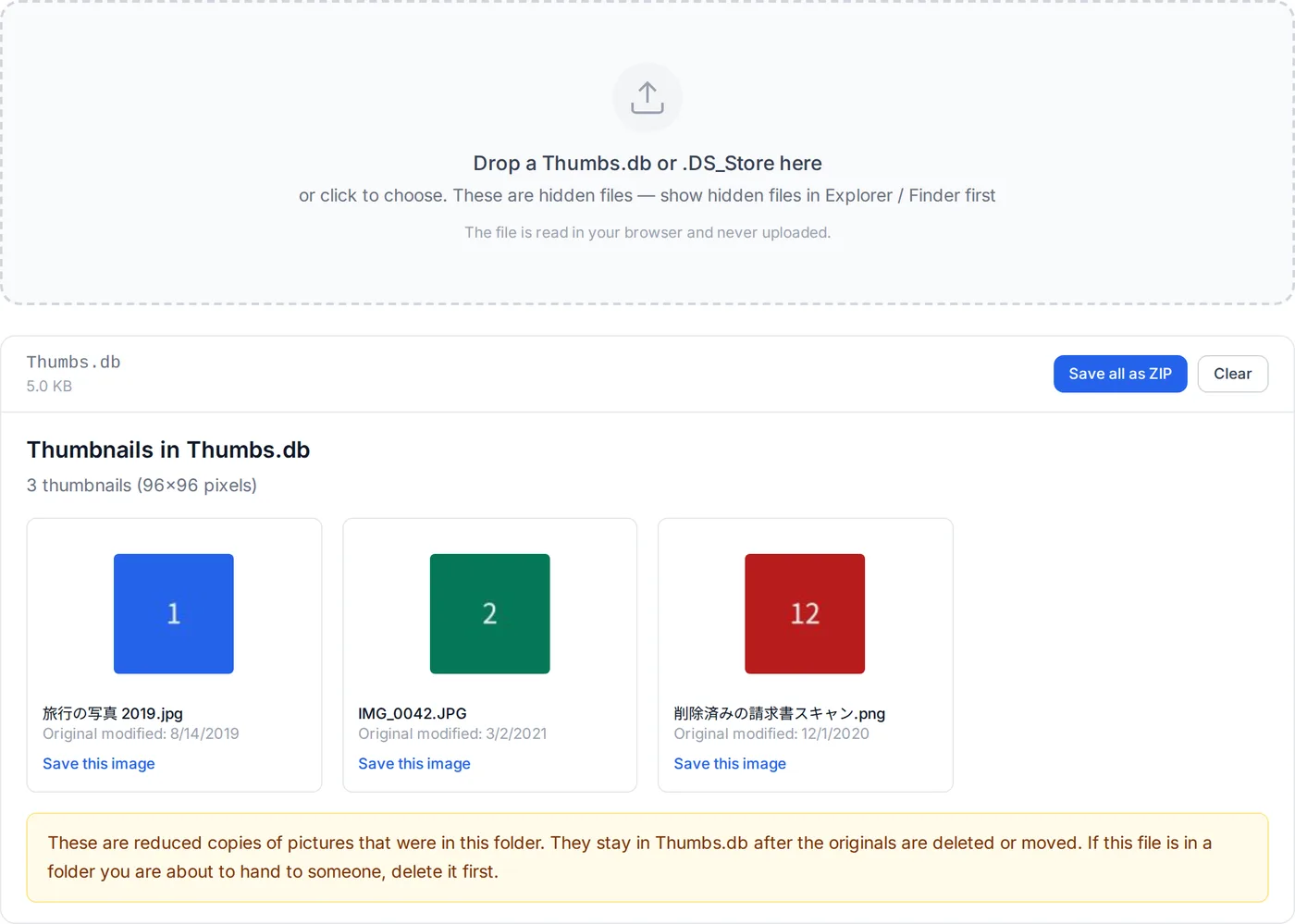
The catch is what else is in them. Thumbs.db keeps its thumbnails after the original pictures are deleted. .DS_Store records the name of every file Finder ever saw in the folder. Left in a folder you pass on, they reveal the photo you thought you had removed, or what the folder used to contain. This tool shows you exactly that, so you can delete with confidence.
Show hidden files
On Windows, tick View → Hidden items in Explorer. On a Mac, press Command + Shift + . (period) in Finder. Thumbs.db and .DS_Store become visible.
Drop the file here
The content decides whether it is a Thumbs.db or a .DS_Store. You get a grid of thumbnails for the former, and the recorded file names and attributes for the latter.
Save any image you need
Thumbnails are small — 96×96 or 256×256 — but if the original photo is gone they are the only trace left. Save them one at a time or all together as a ZIP.
Then delete it
Both files are safe to delete; nothing else in the folder depends on them. If Windows says Thumbs.db is in use, the FAQ below covers that.
Since Windows Vista, local folders use a different cache (thumbcache_*.db in the user profile) and Thumbs.db is created only on network shares and removable drives. That is why offices with a NAS keep finding new Thumbs.db files.
How this viewer works
Neither Microsoft nor Apple has published a specification for these files, but both formats were worked out long ago. The viewer reads each with its own code.
- Thumbs.db is a compound file
- The same OLE compound file container as Word's .doc and Outlook's .msg. The container reader written for this site's MSG viewer — FAT, directory, mini stream — is reused as is. Inside is a stream named Catalog and one stream per image.
- Reversed names
- Image streams are named with the digits of their index reversed: the 12th image is the stream "21". The Catalog lists index, file name and the original's modification time, and the index joins the two.
- Extracting the image
- Each stream begins with a header whose length varies between Windows versions, followed by the image itself — almost always JPEG, occasionally PNG or BMP. Rather than trust the header length, the reader looks for the image format's own signature and cuts from there.
- .DS_Store is a buddy allocator
- It opens with the magic "Bud1" and manages records through a block table and a B-tree. Each record is a file name (UTF-16BE), a four-character attribute id, a four-character type — long, shor, bool, blob, type, ustr, comp or dutc — and a value. The tree is walked from the root to list every record.
- Dates
- Thumbs.db stores Windows FILETIME (100-nanosecond ticks since 1601); .DS_Store stores 1/65536-second ticks since 1904. Both are converted to ordinary dates for display.
What it does not do
The local caches of Windows Vista and later (thumbcache_*.db, CMMM format) are not supported. Thumbs.db files that Windows 7 and later create on shared folders record no file names (only a hash of the path), so only the pictures can be recovered. Some of Windows XP's earliest thumbnails are an internal JPEG variant without the quantisation and Huffman tables a decoder needs; browsers cannot show them, and they are marked as not displayable. Blob values in .DS_Store (plists with window geometry and the like) are shown by size only, not decoded. In a damaged Thumbs.db, a catalog entry may have no recoverable image.