How to Open winmail.dat on Windows, Mac, iPhone, Android and Gmail
winmail.dat opens in your browser in seconds. What is going on in Windows without Outlook, on a Mac, on iPhone, on Android and in Gmail, and how to get the message and its attachments out in each case.
Open winmail.dat right now
Pick the file and the attachments are extracted on the spot; the message body is shown too, whether it is stored as plain text, HTML or RTF. Works in any browser on Windows, Mac, iPhone and Android.
Everything runs inside your browser. The file is never sent anywhere.
An email arrives with a file called winmail.dat attached. Double-clicking does nothing, and the PDF or spreadsheet you were expecting is nowhere to be seen. If that is what brought you here, the short version first:
- The fastest fix is to open it in your browser. Nothing to install (button above).
- If you have Microsoft Outlook, open the same email there and the contents unpack automatically.
- To stop it happening again, the sender has to change a setting in their Outlook (covered at the end).
The rest of this guide goes platform by platform: why the file will not open there, and what to do about it.
The fastest way: open it in your browser (3 steps)
winmail.dat is a container. Outlook wraps the formatting of a message and every attachment into one blob in its own format, TNEF, and only Outlook knows how to unwrap it. The file is not broken; your mail client simply does not have the unwrapping tool. Given one, the contents come out intact.
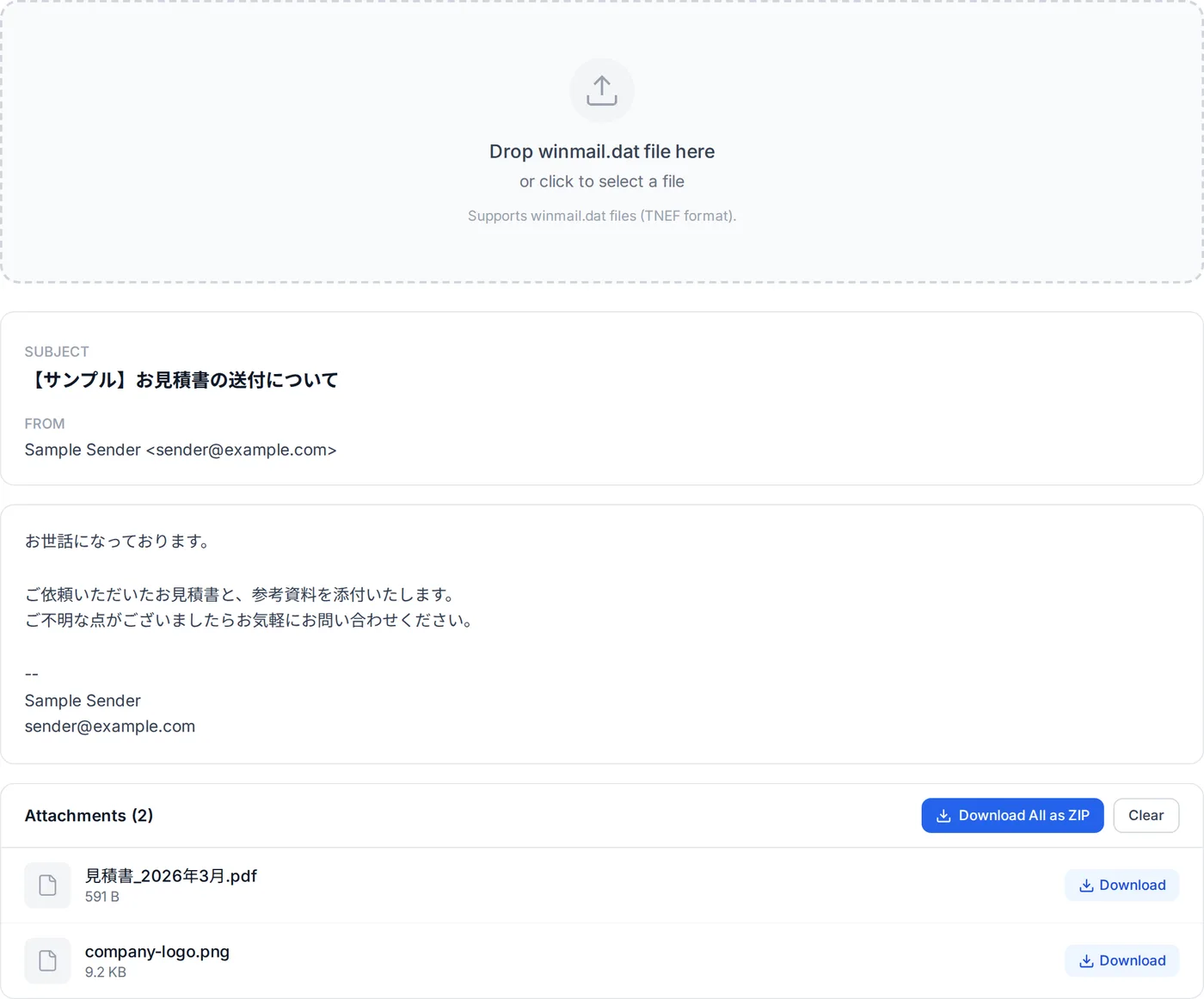
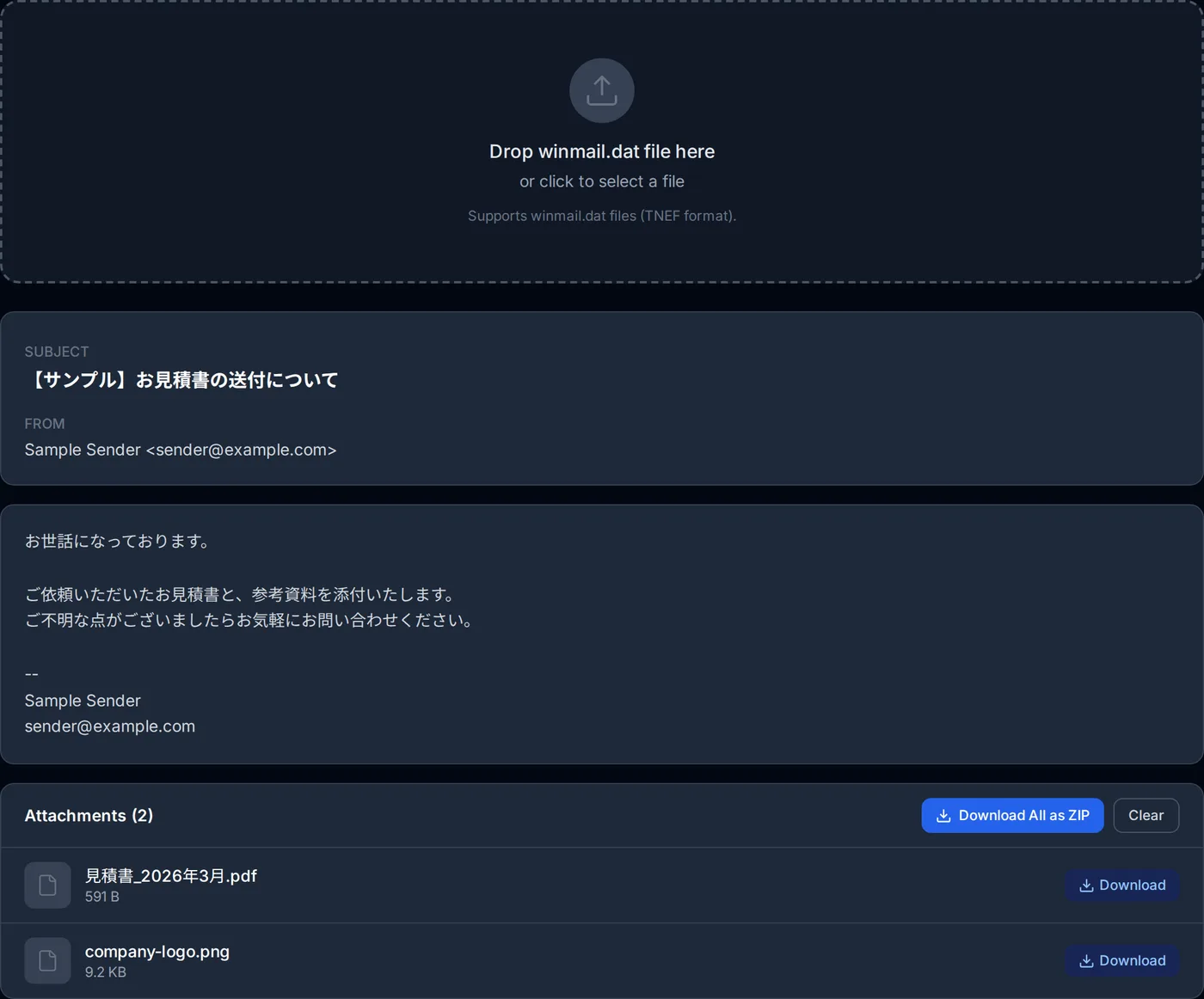
- Save winmail.dat from your mail client (Desktop or Downloads, it does not matter where).
- Open the winmail.dat viewer and drop the file in, or use the file picker.
- The subject and attachments appear, along with the body (plain text, HTML or RTF; rich text loses its formatting). Download attachments individually or all at once as a ZIP.
The viewer never uploads the file. Parsing happens entirely in your browser, so it is fine to use with a supplier's quote or an internal document you would not hand to a third-party service. If you are curious how, this post walks through the TNEF parser.
Platform by platform
Windows
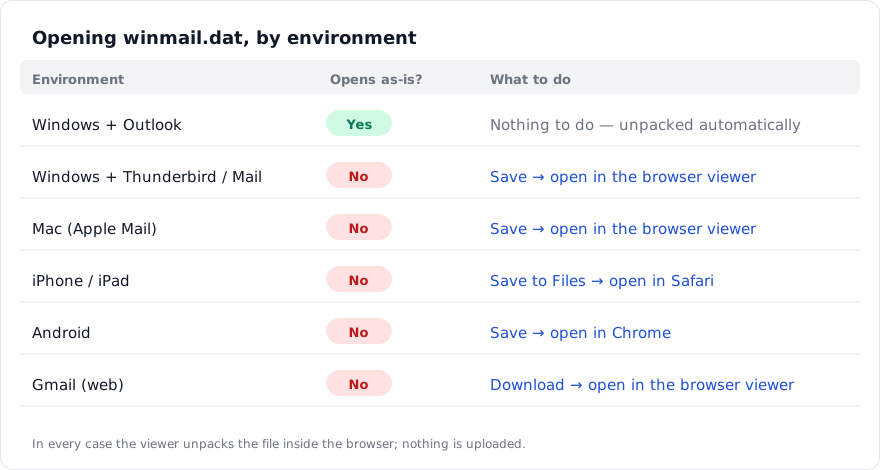
If you use classic Microsoft Outlook (the Microsoft 365 desktop app), you normally never see winmail.dat at all. Outlook created the format, so it unpacks it on receipt and lists the attachments under their real names. If you are in Outlook and still see winmail.dat, the message almost certainly passed through another client on the way — it was forwarded, or exported from somewhere else.
If you use Thunderbird, Apple Mail, Becky!, or webmail, winmail.dat is treated as an ordinary attachment and double-clicking stops at "choose an app to open this file". The fix is the three steps above. Thunderbird has an add-on (LookOut) that unpacks TNEF, but for a one-off the browser is quicker and leaves nothing installed.
Mac
Apple Mail does not unpack TNEF. Outlook for Mac does, the same way the Windows version does; otherwise, save the file and open it in the browser. There is also a long-standing free Mac app, TNEF's Enough, if you would rather have something installed.
iPhone and iPad
In the iOS Mail app, tapping winmail.dat either does nothing or shows a "cannot preview" message. To open it:
- Press and hold the attachment and choose Save to Files.
- Open the winmail.dat viewer in Safari and pick the saved file.
- Downloaded attachments land in the Files app.
No App Store app is needed. If you get these often, add the viewer to your Home Screen and it behaves like one. More in Winmail.dat on iPhone.
Android
Gmail and the stock mail apps both show winmail.dat as an attachment they cannot open. Tap the download icon to save it, open the winmail.dat viewer in Chrome and pick the file. Extracted attachments go to your Downloads folder. Google Play has dedicated apps, but many are ad-supported and some send the file off-device; for a one-off, the browser is the safer route.
Gmail in the browser
Gmail does not unpack winmail.dat, so the attachment row shows "winmail.dat" as-is and the preview button says it cannot be previewed. Hover the attachment, click download, and open the file in the winmail.dat viewer. Saving it to Google Drive does not help — Drive cannot show the contents either.
When it still will not open
If the viewer reports an error, or opens the file but shows no attachments, it is one of these:
- There were no attachments to begin with. winmail.dat often carries only the message itself, its body usually stored as RTF, and no files. The viewer then shows the body and zero attachments (a body written as rich text appears as plain text, without its formatting). Check whether the sender actually attached something.
- The message is encrypted or signed. S/MIME content wrapped in TNEF cannot be decrypted in the browser. Ask the sender to resend without encryption.
- The file is truncated. A file of 0 bytes, or far smaller than expected, was cut off during download. Save it again.
- It is named winmail.dat but is something else. If the viewer says the file is not TNEF, the name is misleading. Drop it into the file identifier and it will tell you the real format from the first bytes.
Stopping it for good
You cannot prevent winmail.dat on the receiving end. It exists because the sender's Outlook is sending in Rich Text format, and only they can change that. The setting lives in different places depending on the Outlook version, so the easiest thing is to send them the link to the Outlook settings guide. A message you can copy:
The attachment on your last email came through as a file called "winmail.dat", which I cannot open here. Could you switch your Outlook message format to HTML or Plain Text and resend? Thanks.
Why Outlook produces the file in the first place is covered in What Is a Winmail.dat File?.
Summary
- winmail.dat is a container Outlook creates; no other mail client unpacks it.
- On Windows, Mac, iPhone, Android or Gmail, save the file and open it in the browser viewer. Nothing to install, nothing uploaded.
- If it will not open or has no attachments, suspect an attachment-free message, encryption, a truncated file, or a misnamed file — in that order.
- Only the sender can stop it. Send them the settings guide with your request to resend.
Related Articles
Frequently asked questions
I cannot install software on my work computer.
The winmail.dat is 0 bytes.
I extracted a file but cannot open that either.
Is it the same in Gmail on the web?
About the author
Ren
Developer, OpenedFile
I build and maintain OpenedFile on my own. It started when a winmail.dat attachment landed in my inbox and nothing would open it — and every online converter I found wanted me to upload the file to their server first. So I wrote a TNEF parser from scratch instead, and every tool here has run entirely in the browser ever since.
More about OpenedFile