Open XDW (DocuWorks) Files and Convert to PDF
See the pages of a DocuWorks .xdw or .xbd file and save them as a PDF or text — on a PC where you cannot install software, on a Mac or on a phone. The file is read in your browser and never uploaded.
Your files stay safe — processed entirely in your browser. Nothing is uploaded.
Drop an .xdw or .xbd file here
or click to choose a file
DocuWorks documents (.xdw) and binders (.xbd). The file stays on your device.
How to open an .xdw without DocuWorks
An .xdw is a document from DocuWorks, Fujifilm's document-handling software that many Japanese government offices and companies use. The official way to open one is the free DocuWorks Viewer Light, but it has to be installed — which is exactly what a work PC, a Mac without it, or a phone often cannot do.
This page reads the file in your browser instead. It shows every page, and saves the document as a PDF that any computer or phone opens, or as plain text.
Choose the file
Drop the .xdw (or a .xbd binder) onto the box above, or click it to pick the file. On an iPhone, save the attachment to the Files app first.
Read it
The pages appear one below the other. A binder shows each document's name above its first page.
Save it as a PDF if you need to
"Save as PDF" turns every page into a PDF, with the text still searchable and copyable. "Save the text" saves the words of every page as a .txt file.
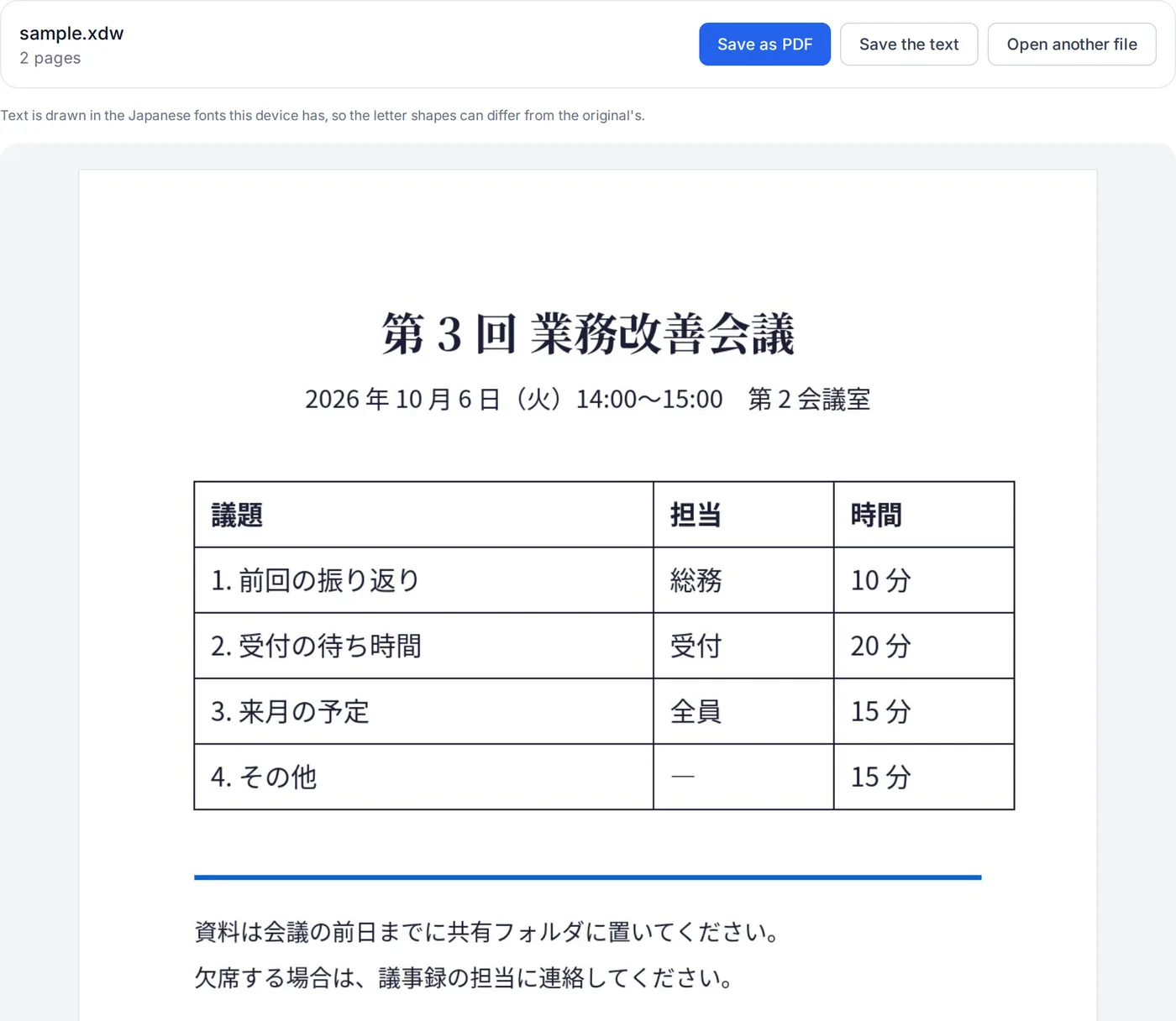
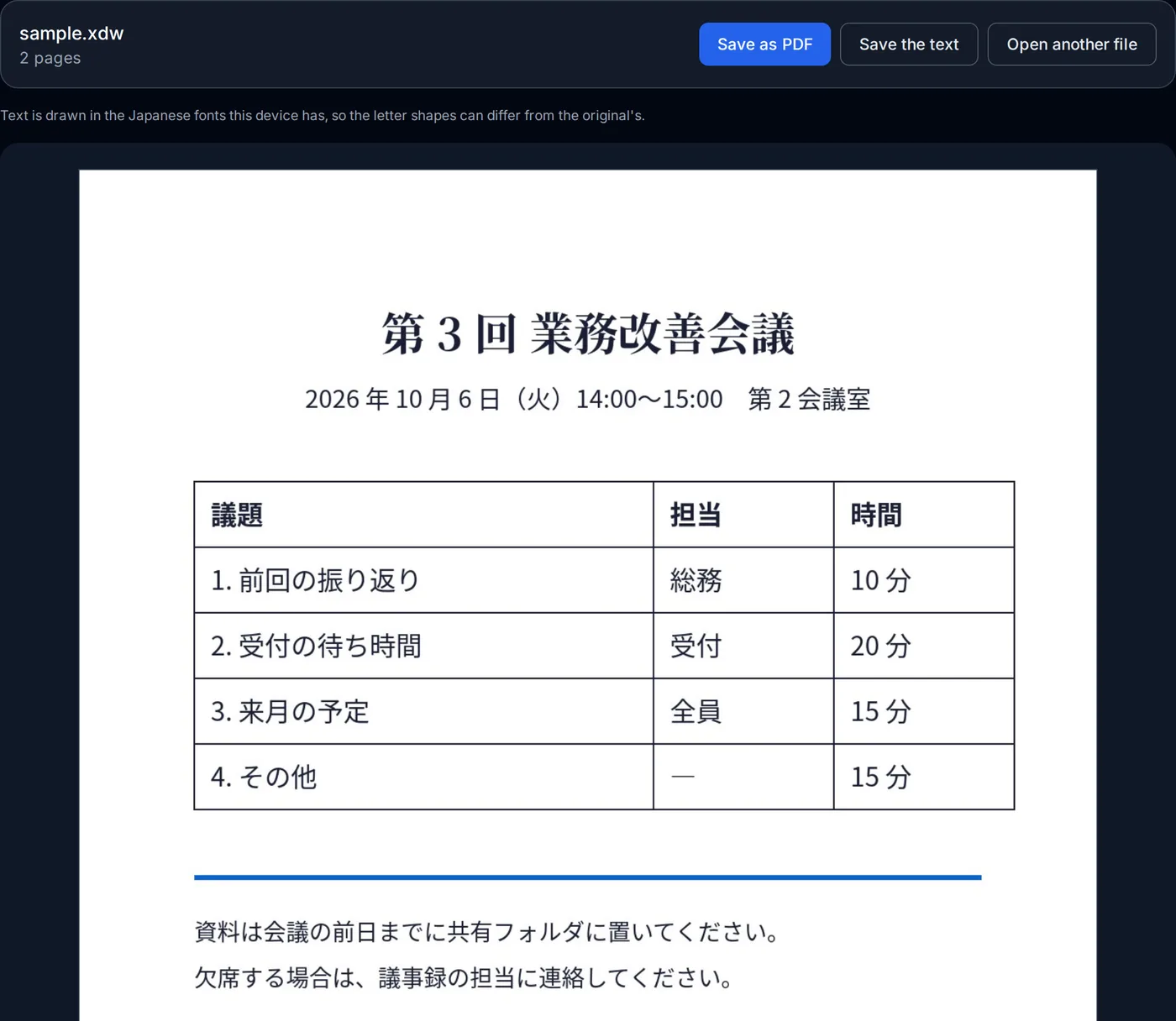
The reader is fetched the first time you open a file (about 0.9 MB) and runs on your device. Before publishing this page we opened 33 real DocuWorks documents — 17 that prefectures, cities and universities publish on their websites, 10 published by a company, and 6 test files from a document-search project — and compared three of them with the PDF versions their publishers also post.
How this XDW viewer works
DocuWorks' format is not published. This viewer uses ezpzfile-xdw, an open-source (MIT) engine whose authors worked the format out from public files; it is not affiliated with Fujifilm. The engine is compiled to WebAssembly and runs on your device.
- Reading the file
- A DocuWorks file is a sequence of tagged elements; each save appends to the end, and the last trailer says what the document looks like now. Page drawings are compressed with the same LHA method (-lh5-) as an .lzh archive, and pictures (scanned pages among them) are stored as JPEG or as bitmaps.
- Drawing the pages
- The engine turns each page into a list of shapes, text and pictures, and the page draws them on a canvas when it scrolls into view. Pages far off screen let their pixels go, so a document of hundreds of pages does not fill the memory.
- The PDF
- Each page is drawn at 150 dpi and saved as a JPEG inside the PDF, with the document's text laid invisibly on top so it can be searched and copied. The PDF looks like the page on screen; it is not an editable document.
- Loaded only when needed
- The engine is about 0.9 MB, so it is fetched when you drop a file, not when the page opens. ezpzfile-xdw license (MIT)
Where it stops
Password- or certificate-protected documents cannot be opened, signatures are not checked, and DocuWorks containers (.xct) are not supported. Fonts the document names but your device lacks are replaced, so line breaks can shift slightly. Files over 300 MB are refused.