What Is a VCF File? vCard Versions, Fields and How to Open One
A .vcf file is a vCard: contact cards written as plain text. What the lines mean, how vCard 2.1, 3.0 and 4.0 differ (character sets, quoted-printable), what Apple, Android and Outlook export, and what to do with the file.
Just want to see who is in the file?
The VCF to CSV converter lists the names, email addresses, phone numbers, addresses and companies in a .vcf, and saves them as a CSV that opens in Excel.
The file is read in your browser; it is not uploaded.
A .vcf file is a vCard: one or more contact cards written as plain text. Each card starts with the line BEGIN:VCARD and ends with END:VCARD, and each line in between holds one piece of the contact, such as the name, a phone number or an email address.
The iPhone, Android's Contacts app, Google Contacts, iCloud and Outlook all write or read contacts as vCards. The version they write differs, and so does the way they store accented letters and non-Latin scripts; either difference can stop a file from importing or garble the names in it.
What is inside a .vcf file
Open a .vcf in a text editor and you see something like this (a made-up contact in vCard 3.0):
BEGIN:VCARD
VERSION:3.0
N:Tanaka;Yuki;;;
FN:Yuki Tanaka
ORG:Example Trading\, Inc.;Sales
TEL;TYPE=CELL:+81 90-1234-5678
EMAIL;TYPE=INTERNET:yuki@example.com
ADR;TYPE=WORK:;;1-2-3 Marunouchi;Chiyoda-ku;Tokyo;100-0005;Japan
END:VCARD
Every line has the form PROPERTY;parameters:value. The property name says what the line is (TEL is a phone number), the parameters after the semicolons qualify it (TYPE=CELL: a mobile number), and the value comes after the colon. A file with several contacts is simply several of these blocks one after another.
| Line | Holds |
|---|---|
VERSION | The vCard version: 2.1, 3.0 or 4.0 |
FN | The name as it should be displayed |
N | The name in five parts separated by semicolons: family name, given name, additional names, prefixes, suffixes |
TEL | A phone number; TYPE says what kind (cell, voice, fax, pager and others) |
EMAIL | An email address |
ADR | A postal address in seven parts: PO box, extended address (apartment or suite), street, city, region, postal code, country |
ORG | The organization, followed by any departments |
NOTE, BDAY, PHOTO | A note, the birthday, and a photo (embedded as text-encoded data or given as a link) |
A few rules explain the odd-looking parts of real files:
- Escaping. A comma or semicolon that belongs to the value is written with a backslash in front, which is why the company above reads
Example Trading\, Inc.. An unescaped semicolon inN,ADRorORGseparates the parts. - Folding. Long lines are cut, and the continuation line starts with a space or a tab. RFC 6350 recommends folding at 75 bytes, so an embedded photo turns into many short lines of letters, digits and a few symbols.
- Groups. A prefix such as
item1.in front of a property name (item1.EMAIL) is a group. RFC 6350 says lines with the same group should be shown together and that the prefix has no other meaning.
Source: RFC 6350 (vCard 4.0), sections 3.2 to 3.4 and 6.
vCard 2.1, 3.0 and 4.0
The VERSION line tells you which one you have. In vCard 4.0 it must come right after BEGIN:VCARD. RFC 6350 (section 6.7.9) notes that earlier versions allowed it anywhere in the card, or not at all. Only 2.1 allowed it to be missing: RFC 2426 (section 3.6.9) already required it in 3.0.
| 2.1 | 3.0 | 4.0 | |
|---|---|---|---|
| Published | September 1996, by the versit Consortium (founded by Apple, AT&T, IBM and Siemens) | September 1998, as RFC 2426 | August 2011, as RFC 6350 |
| Character set | ASCII by default; any value can name its own with CHARSET= | No CHARSET on a value; the character set can only be given on the Content-Type header of the message carrying the file | UTF-8 only, with no way to override it |
| Quoted-printable | Allowed (ENCODING=QUOTED-PRINTABLE) | Removed | Not available |
| Other differences | TYPE= may be left out (TEL;CELL:) | TYPE= required; N and FN both required; line breaks in a value written as \n | FN required; new properties such as KIND (person, group, organization or location) and ANNIVERSARY; TEL can be a tel: link |
Sources: the vCard 2.1 specification (copy kept by the Internet Archive), RFC 2426 sections 3.1.1 and 3.1.2 (FN and N required) and section 5 ("Differences From vCard v2.1"), and RFC 6350 sections 6.2.1 (FN required) and 6.4.1 (tel: in TEL) and Appendix A.
What Apple, Android, Google and Outlook export
- Contacts on Mac — vCard 3.0 by default. Under Contacts > Settings > vCard you can switch to 2.1 and pick the encoding used for 2.1, and choose whether notes and photos are exported.
- iPhone and iCloud.com — The iPhone exports "contact cards" from a list in the Contacts app and imports a .vcf when you tap it in an email or message. iCloud.com exports and imports vCards, and puts every selected contact into one file. Apple's help for these does not name a version.
- Android — Google's Contacts app has Fix & manage > Export to file > Export to .VCF file; the help does not name a version. The vCard code in the Android Open Source Project (AOSP) exports vCard 2.1 by default, with UTF-8 text, and writes any name containing non-ASCII characters in quoted-printable (next section).
- Google Contacts on a computer — Google's help says to "download them as a CSV or vCard file" when moving contacts to another account.
- Outlook (Windows) — Outlook sends contacts as vCards attached to a message (Forward Contact > As a Business Card). Exporting a whole contacts folder goes to a .csv file instead. To bring a .vcf holding many contacts into Outlook on a PC, Microsoft's instructions first convert it to CSV through the Windows Contacts folder.
Sources: Apple's "Change vCard settings in Contacts on Mac", "If an app can’t import vCards into Contacts on Mac", "Export contacts on iPhone", "Import contacts on iPhone" and "Import, export, or print contacts on iCloud.com"; Google's "Export, back up, or restore contacts"; AOSP's VCardConfig.java (VCARD_TYPE_DEFAULT = VCARD_TYPE_V21_GENERIC) and VCardBuilder.java; Microsoft's "Share contacts as vCards" and "Import contacts from iCloud (vCard .vcf file) to Outlook". Where the help names no version, the VERSION line in the file itself tells you.
Accented and non-Latin names: quoted-printable and CHARSET
vCard 2.1 assumes ASCII, so anything else has to be declared. This is a name written the way AOSP's exporter writes one:
BEGIN:VCARD
VERSION:2.1
N;CHARSET=UTF-8;ENCODING=QUOTED-PRINTABLE:=4D=61=72=74=C3=AD=6E=65=7A;=4A=6F=73=C3=A9;;;
FN;CHARSET=UTF-8;ENCODING=QUOTED-PRINTABLE:=4A=6F=73=C3=A9=20=4D=61=72=74=C3=AD=6E=65=7A
TEL;CELL:07700900456
END:VCARD
ENCODING=QUOTED-PRINTABLE means each byte is written as = and two hexadecimal digits, and CHARSET=UTF-8 says how to turn those bytes into letters: =C3=A9 is "é", so the name is José Martínez. AOSP's code escapes every byte this way, even plain letters, and ends a line with = when a long value continues on the next line. In a text editor such names are unreadable, but nothing is broken.
A 2.1 file can also name an older character set, such as CHARSET=SHIFT_JIS (Japanese) or CHARSET=GBK (Chinese). AOSP has an export type for Japanese mobile phones whose code comment says Shift_JIS would be better "for maximum compatibility". Problems start when a file stores text in such a character set without saying so: a program reading it as UTF-8 shows replacement characters (�) instead of the name.
vCard 3.0 dropped both CHARSET on a value and quoted-printable, and 4.0 allows only UTF-8, so a 3.0 or 4.0 file should have names written as they are, like the first example on this page.
What to do with a .vcf file
- Add the contacts to a phone — On an iPhone, tap the .vcf attachment in an email or message. On Android, Google's Contacts app imports it from a file. The full steps for both, and other ways to move contacts, are in How to Transfer Contacts Between Phones.
- Add them on a computer — iCloud.com imports a vCard with Import Contact, turning each person in it into a separate entry. For Outlook on a PC, Microsoft's route goes through CSV (see above).
- Open them in Excel or Google Sheets — Convert to CSV first. How to Convert VCF to CSV for Excel shows real conversions and how to keep the leading zeros on phone numbers.
- Check who is in the file — Before importing, or when someone sent you a .vcf you did not expect, drop it into the VCF to CSV converter to see the list.
What this site's converter reads
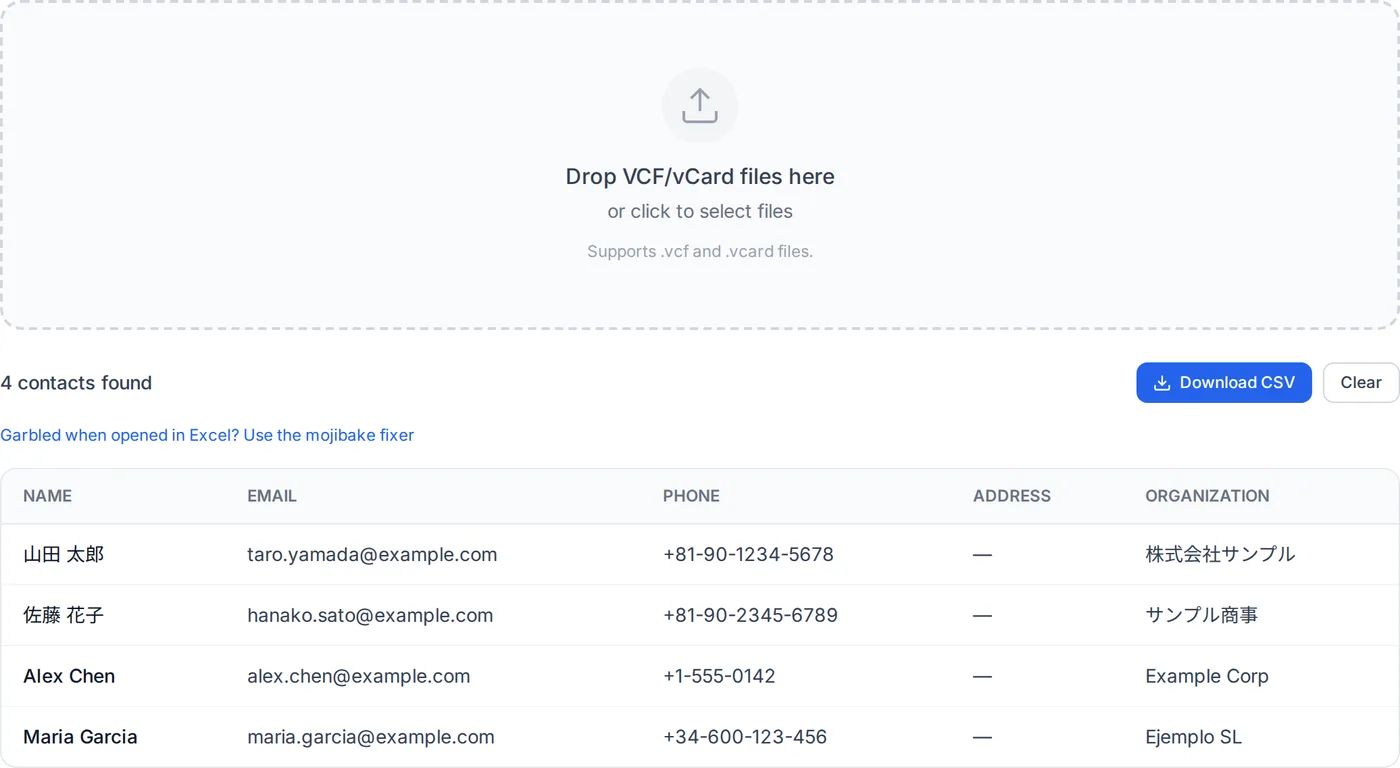
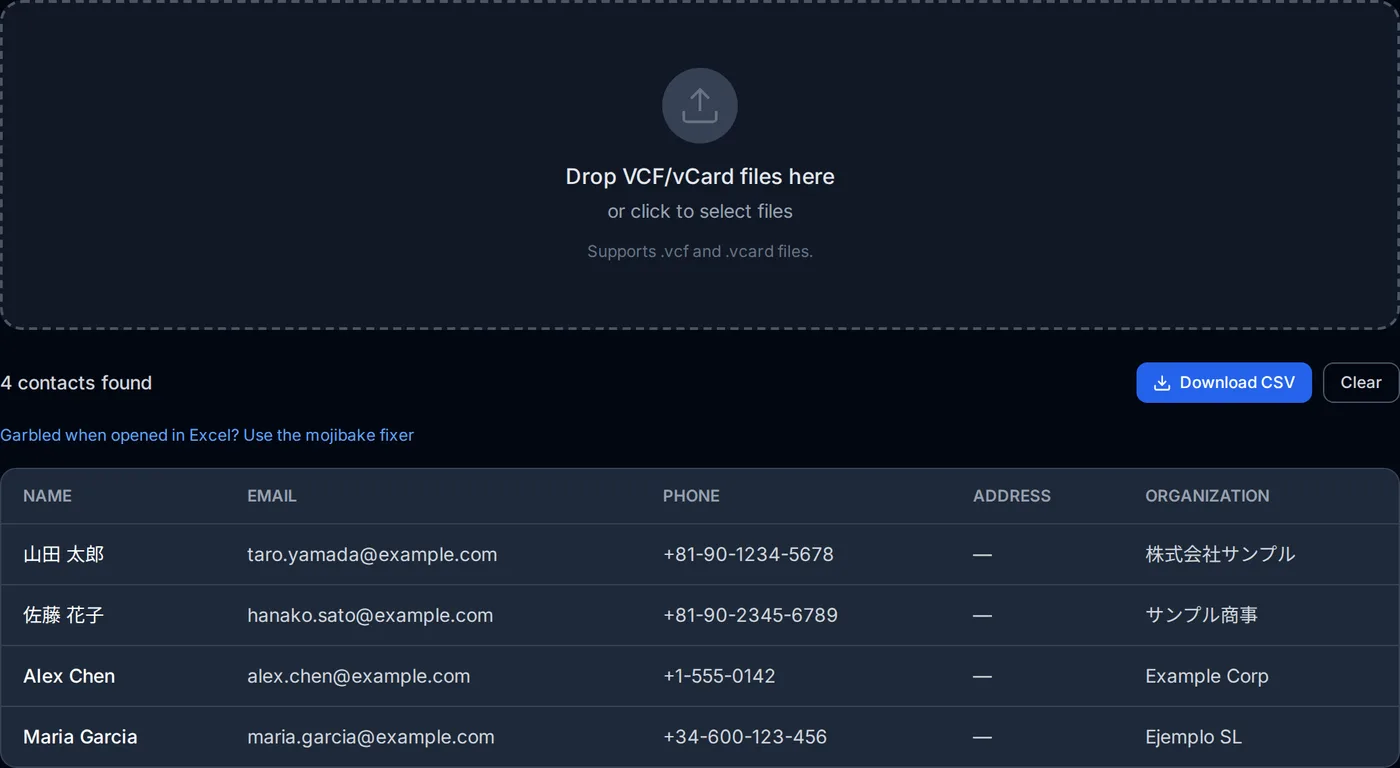
The VCF to CSV converter reads the file inside your browser. What it handles:
- vCard 2.1, 3.0 and 4.0, including several cards in one file and files joined together
- Quoted-printable values, including the
=line continuations, and values in the character set theirCHARSETnames (UTF-8, Shift_JIS, GBK and others the browser knows) - Folded lines, backslash escapes, group prefixes such as
item1., and files saved as UTF-16
The CSV holds five columns: name, email, phone, address and organization. (On a phone-sized screen, the on-page list leaves out the address and organization columns.) The name is taken from FN, or from N when there is no FN. When a contact has two phone numbers or email addresses, both go in one cell separated by "; ". The CSV is saved as contacts.csv, in UTF-8 with a byte order mark.
What it does not do:
- Contacts with neither a name nor an email address (a phone number only, for example) are left out, and the page says so if that leaves nothing.
- Photos, notes, birthdays, labels and other properties are not put in the CSV.
- A vCard 4.0 phone number written as a link keeps its prefix:
tel:+81-90-1234-5678. - Text in an older character set with no
CHARSETanywhere in the file is read as UTF-8 and shows �, with no warning. (If other values in the file declare one character set, that is used for the undeclared ones.)
Frequently asked questions
Is this the same VCF as the Variant Call Format used in genomics?
##fileformat= line such as ##fileformat=VCFv4.5. A contacts file has BEGIN:VCARD instead. The converter on this site says a genomics VCF is not a vCard. How many contacts can one .vcf file hold?
An app will not import the vCards I exported from Contacts on my Mac.
Excel shows the whole file in one column.
About the author
Ren
Developer, OpenedFile
I build and maintain OpenedFile on my own. It started when a winmail.dat attachment landed in my inbox and nothing would open it — and every online converter I found wanted me to upload the file to their server first. So I wrote a TNEF parser from scratch instead, and every tool here has run entirely in the browser ever since.
More about OpenedFile