What Is an EML File? What Is Inside, and What to Do When One Won't Open
An EML file is one email saved as text in the internet mail format (RFC 5322 and MIME). A sample file read line by line, which apps save and open .eml, and what to check when one will not open, shows garbled text or has no body.
Open your EML file now
No mail client needed. Drop the file in and the body, headers and attachments appear immediately.
Processed in your browser — nothing is uploaded.
An EML file (.eml) holds one email, saved as text in the same format the message has while it travels between mail servers: the Internet Message Format (RFC 5322), extended by MIME (RFC 2045 to 2049) for attachments and non-English text. The sender, subject, body and attachments are all inside that one text file.
This page explains what is in the file and what to check when one will not open. Step-by-step instructions for opening one are in How to Open EML Files Without Outlook.
What is inside: a sample file
This is the sample EML this site uses for its screenshots, opened in a text editor. It is a message with a Japanese subject, a short body and one PDF attached. The rest of the body and the middle of the attachment are cut out here.
From: Sample Sender <sender@example.com>
To: Sample Recipient <recipient@example.com>
Subject: =?UTF-8?B?5Zub5Y2K5pyf44Os44Od44O844OI44Gu6YCB5LuY?=
Date: Wed, 25 Feb 2026 10:14:00 +0900
MIME-Version: 1.0
Content-Type: multipart/mixed; boundary="----=_Part_0_1706000000000"

------=_Part_0_1706000000000
Content-Type: text/plain; charset=UTF-8
Content-Transfer-Encoding: 8bit

お世話になっております。
(rest of the body)

------=_Part_0_1706000000000
Content-Type: application/pdf; name="quarterly-report.pdf"
Content-Transfer-Encoding: base64
Content-Disposition: attachment; filename="quarterly-report.pdf"

JVBERi0xLjQKMSAwIG9iago8PCAvVHlwZSAvQ2F0YWxvZyAvUGFnZXMgMiAwIFIgPj4KZW5kb2Jq
CjIgMCBvYmoKPDwgL1R5cGUgL1BhZ2VzIC9LaWRzIFszIDAgUl0gL0NvdW50IDEgPj4KZW5kb2Jq
…
------=_Part_0_1706000000000--
Reading it from the top:
- The header section. Each line is a field name, a colon and a value. RFC 5322 makes only two fields compulsory: the date (
Date:) and the sender (From:). Everything else is optional. - The empty line. RFC 5322 separates the header section from the body with one empty line. Everything after it is the body.
MIME-VersionandContent-Type. These say the body uses MIME.multipart/mixedmeans the body is several independent parts in a fixed order, andboundarygives the text that separates them.- The boundary lines. Each part starts with a line made of two hyphens and the boundary value (RFC 2046). The last one has two more hyphens at the end, which marks the end of the parts.
- Each part's own header. Every part has its own
Content-TypeandContent-Transfer-Encoding, then an empty line, then its content. The first part here is the body text; the second is the PDF, marked withContent-Disposition: attachmentand a file name (RFC 2183).
A message received from someone else usually has more lines above From:. Each mail server that handles a message must add a Received: line at the top (RFC 5321), so a saved message often starts with several of them, the latest first.
Messages with formatting are usually built with two more multipart types. multipart/alternative holds the same content in several forms, typically plain text and HTML; RFC 2046 puts them in order of increasing faithfulness to the original, so a mail program shows the last one it can display. multipart/related (RFC 2387) keeps an HTML body together with the images it uses, and the HTML refers to each image by a cid: address (RFC 2392) rather than a web address.
Why parts of it look like gibberish
RFC 5322 defines a message as US-ASCII characters only. Anything else — accented letters, Japanese, a PDF — is normally written in ASCII first, and MIME defines how. MIME also lets a part be stored as 8-bit text and labeled 8bit (RFC 2045), but a message like that can be sent as it is only through mail servers that support the 8BITMIME extension (RFC 6152). In a text editor these are the parts you cannot read:
| What you see | What it is | Where it is used |
|---|---|---|
=?UTF-8?B?5Zub…?= | An encoded-word (RFC 2047): the character set, B (base64) or Q (similar to quoted-printable), then the encoded text | Subject, and the names in From and To |
Blocks of letters, digits, + and / | Base64 (RFC 2045): every 3 bytes become 4 characters, in lines of at most 76 | Attachments, and some bodies |
Readable text dotted with =C3=A9 and lines ending in = | Quoted-printable (RFC 2045): each non-ASCII byte becomes = and two hex digits; an = at the end of a line only joins it to the next | Bodies that are mostly ASCII |
In the sample, the subject decodes to 四半期レポートの送付 ("Sending the quarterly report"). The PDF is 591 bytes and takes 788 characters of base64 — the roughly 33 percent growth RFC 2045 describes — so an .eml is always bigger than the attachments in it. The sample's body is marked 8bit, meaning it is stored as UTF-8 text without encoding, so a text editor shows it as it is.
Which apps save and open .eml
This is what each vendor's own documentation says:
| App | Saving a message as .eml | Opening an .eml |
|---|---|---|
| Gmail (web) | Open the message, More, Download message | Google's help says you need a desktop mail client to open the downloaded file |
| Outlook on the web, Outlook.com | More actions, Download (saved as EML or MSG) | Drag the file onto the reading pane |
| New Outlook for Windows | More actions, Save as | Drag onto the reading pane, or right-click the file, Open with, Outlook (new) |
| Classic Outlook for Windows | Saves as .msg, HTML, text and others. Microsoft's list of save formats for developers (OlSaveAsType) has MSG but no EML (see EML vs MSG) | Microsoft's feature comparison lists ".eml file support" as Available |
| Outlook for Mac | "Open and save .eml file" is listed as available from version 16.58 | |
| Apple Mail (Mac) | File, Save As, format Raw Message Source; or drag messages to the desktop | Not covered in Apple's guide |
| Thunderbird | Save As offers .eml, HTML and plain text, according to its source code (MessageSaver.sys.mjs) | File, Open, Saved Message… |
Microsoft's article on opening these files in new Outlook and Outlook on the web says that opening .msg and .oft files needs an account with a qualifying Microsoft 365 subscription. It sets no such condition for .eml.
How to open an EML file
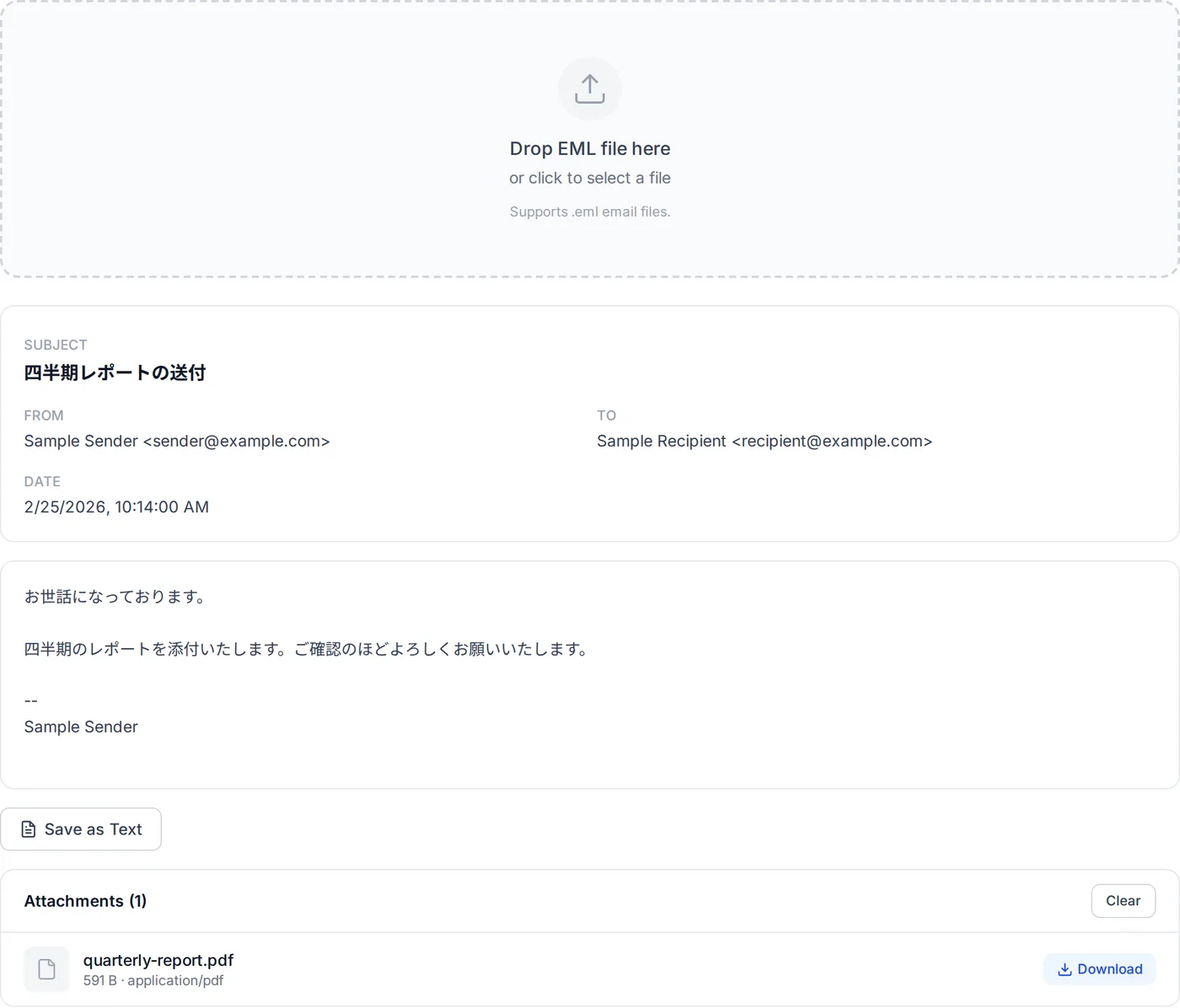
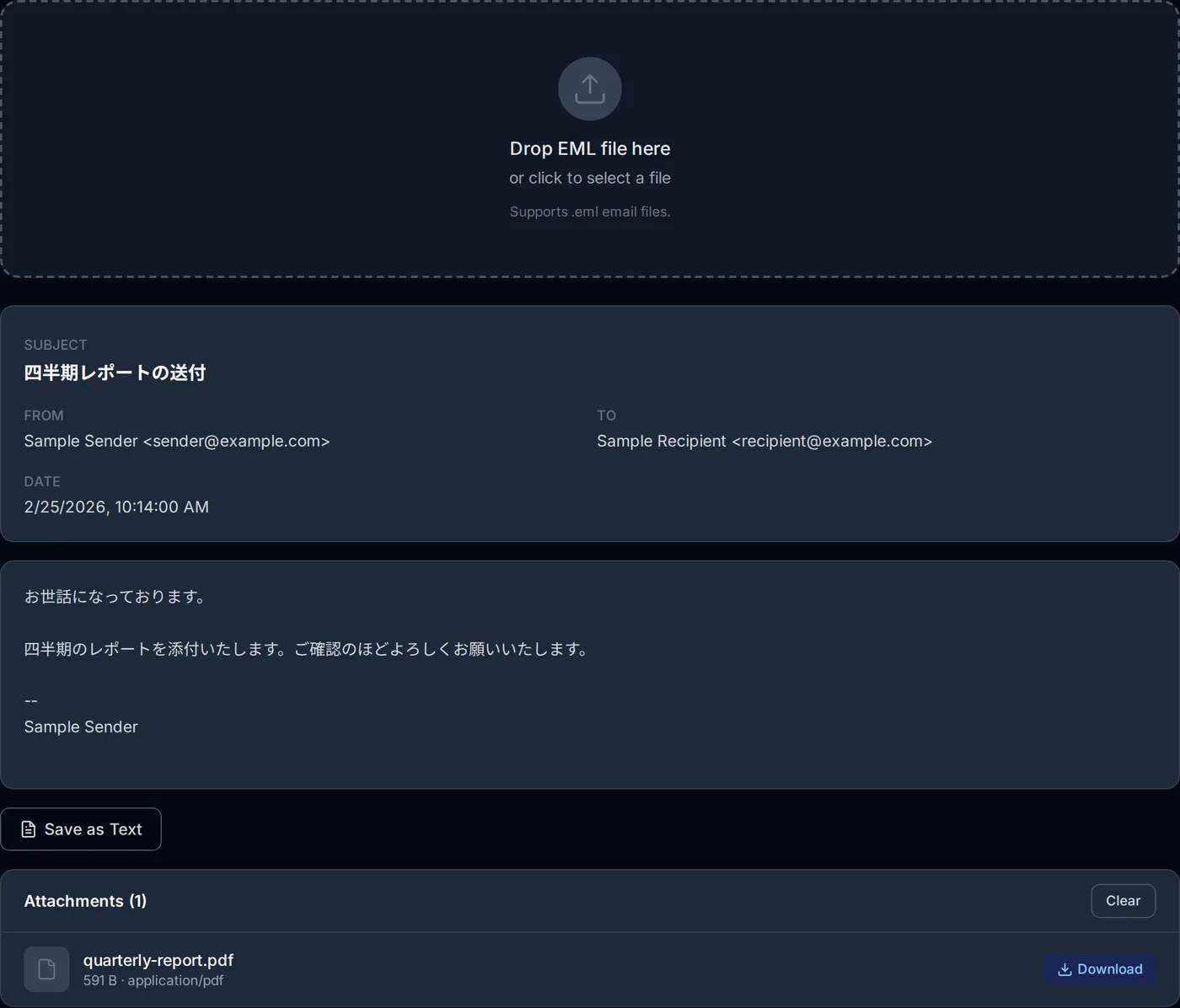
Four ways — in the browser, in new Outlook, in Thunderbird and in a text editor — are explained step by step in How to Open EML Files Without Outlook.
The EML viewer on this site reads the file inside the browser with the open-source postal-mime library. It shows the subject, sender, To, Cc and date, with the date converted to your device's time zone. When a message has both a plain-text and an HTML body you can switch between them. The HTML is cleaned with DOMPurify and shown in a sandboxed frame that is not allowed to load anything from the network. Attachments download one at a time or, when there are two or more, as one ZIP, and the body can be saved as a text file.
When an .eml will not open, or opens wrong
Double-clicking does nothing, or opens the wrong app
Windows decides which app opens a file type. Microsoft's advice for new Outlook is that if a file does not open in it, new Outlook may not be the default app for that file type, and to change the default in Windows settings. The file itself is usually fine; any of the ways above will open it.
It opens as a page of text
If Notepad or a browser shows the header lines and blocks of characters, that is the file's real content, not damage. It needs a mail program or a viewer to decode it.
The viewer says the file is not an EML file
Before parsing, the viewer looks for at least one line that starts with From:, To:, Subject:, Date:, MIME-Version: or Content-Type:. If there is none, the file is probably something else with an .eml name. A file whose first bytes are D0 CF 11 E0 A1 B1 1A E1 is a compound file, which is what an Outlook .msg is; try the MSG viewer. If you cannot tell what it is, the file identifier checks the contents rather than the name.
The body or subject is garbled
Each part names its character set (charset=UTF-8, charset=ISO-2022-JP, charset=Shift_JIS and so on), and the viewer decodes each part with the one it names. Garbling usually means the name is missing or wrong. When I fed postal-mime a Shift_JIS body with no character set declared, it decoded it as UTF-8 and the text came out as replacement characters; with a character set name it does not recognise, it fell back to Windows-1252 and the Japanese turned into Latin letters and symbols. This site's viewer has no way to choose a different character set. Thunderbird guesses the character set of a body that declares none, and when the declared one is wrong, choosing More, Repair Text Encoding in the message header makes it guess the encoding from the content and show the message again. If that does not fix it, ask the sender to send the message again.
The body is empty and the only attachment is winmail.dat
The sender's Outlook packed the message in Microsoft's TNEF format, and the attachments are inside winmail.dat. Open that file in the winmail.dat viewer; How to Open winmail.dat covers the other options.
The only attachment is smime.p7m
The message is S/MIME. RFC 8551 uses smime.p7m both for encrypted messages and for signed messages in the SignedData form, and in both cases the real message is inside it, so the viewer shows no body. An encrypted one can only be decrypted with the recipient's private key, normally in the mail program where their certificate is set up. See How to open a .p7m file. A message signed in the other form (multipart/signed) reads normally, with the signature listed as smime.p7s; the viewer does not check the signature.
Images are missing from the HTML body
Images that the HTML loads from the web are not shown in the viewer on purpose: loading them would tell the sender that the message was opened. Images carried inside the message and referred to by cid: do not appear in the body either; they are listed with the attachments, where you can save them (one without a file name is listed as "untitled").
Attachments are saved exactly as they are in the file; the viewer does not scan them. Treat attachments from senders you do not know as you would in your inbox.
EML, MSG and MBOX
- MSG is Outlook's own file for one item: a compound file rather than text, which is why it cannot be read in a text editor. EML vs MSG compares them and which app saves which.
- MBOX holds many messages in one file. RFC 4155 describes it as a sequence of messages, each starting with a separator line that usually begins with
Fromand a space. It also notes that mbox has no authoritative specification, and the separator lines vary between programs.
Sources
The format: RFC 5322 (Internet Message Format), RFC 5321 (SMTP, Received lines), RFC 2045 (base64, quoted-printable), RFC 2046 (multipart), RFC 2047 (encoded-words), RFC 6152 (8BITMIME), RFC 2183 (Content-Disposition), RFC 2387 and RFC 2392 (related parts and cid:), RFC 8551 (S/MIME), RFC 4155 (mbox).
The apps: Gmail Help; Microsoft's "Save an Outlook message as a .eml file, a PDF file, or as a draft", "Open .eml, .msg, and .oft files in new Outlook and Outlook on the web", "Feature comparison between new Outlook and classic Outlook", "Outlook for Mac features" and the OlSaveAsType reference; Apple's "Save emails as files or PDFs in Mail on Mac"; Thunderbird's MessageSaver.sys.mjs, its menu labels (Open, More, Repair Text Encoding) and its test for Repair Text Encoding.
Related Articles
How to Open EML Files Without Outlook
In the browser, new Outlook, Thunderbird or a text editor, step by step.
EML vs MSG: Which to Choose When You Save an Email
What is inside each, which apps open them, and how each app saves a message.
How to Open a .msg File Without Outlook: Three Ways
Three ways to open a .msg without Outlook, and why some open with an empty body.
How to Open winmail.dat on Windows, Mac, iPhone, Android and Gmail
When the attachments arrive packed inside winmail.dat.
Frequently asked questions
Can I open an .eml file in Notepad or another text editor?
Can the EML viewer on this site open several files at once?
Why does the viewer show a different time from the Date line in the file?
Can the viewer show the Received lines and the other header fields?
About the author
Ren
Developer, OpenedFile
I build and maintain OpenedFile on my own. It started when a winmail.dat attachment landed in my inbox and nothing would open it — and every online converter I found wanted me to upload the file to their server first. So I wrote a TNEF parser from scratch instead, and every tool here has run entirely in the browser ever since.
More about OpenedFile